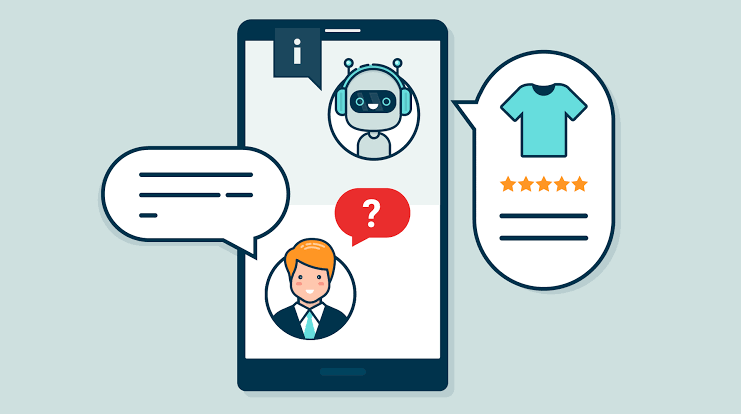
AI chatbots are changing how online stores answer customer questions, recommend products, recover potential sales, and provide support outside business hours. Instead of relying entirely on a human support team, retailers can automate routine conversations while keeping people available for complex requests.
But not every online store needs an expensive AI assistant. Some businesses only need a simple chat widget that answers shipping questions, while others benefit from a chatbot that connects to product catalogs, order systems, customer service platforms, and messaging channels.
This guide compares popular AI chatbot tools for e-commerce, explains their costs, explores practical use cases, and shows how to estimate whether chatbot automation can deliver a positive return on investment.
What Is an AI Chatbot for an Online Store?
An AI chatbot is a software assistant that communicates with website visitors or customers through text-based conversations. Depending on its capabilities, it may answer frequently asked questions, explain product features, recommend products, help customers find policies, or retrieve information from connected systems.
Traditional rule-based chatbots follow predefined buttons and conversation paths. AI-powered chatbots can interpret more natural questions and generate responses based on approved information. Some advanced systems can also perform specific actions, such as looking up an order or initiating a return, when the required integrations and permissions are configured.
Predefined automation
Uses menus, keywords, decision trees, and fixed answers. It can be affordable and predictable for basic questions and simple lead collection.
Natural-language assistance
Interprets varied customer questions and responds using available product information, support documents, policies, and connected data.
Many platforms combine both approaches. A store can use predefined flows for discounts or lead capture while using AI to answer more open-ended questions about products and policies.
Best AI Chatbot Tools for E-Commerce
1. Shopify Inbox
Shopify Inbox helps Shopify merchants communicate with shoppers through their storefront. Shopify’s Inbox agent can answer questions about products, shipping, returns, sizing, and store policies using configured store information and available content.
Useful for:
- Answering common product and delivery questions.
- Helping shoppers compare available products.
- Providing a direct messaging channel on a Shopify store.
- Starting with automation without immediately adopting a separate enterprise platform.
Cost: Shopify Inbox is available as a free app for Shopify merchants. The underlying Shopify subscription is still required, and the availability of particular agent features may depend on the current configuration.
Limitations: It is designed around the Shopify ecosystem and may not provide all the advanced helpdesk or cross-channel features that a large support operation needs.
2. Tidio and Lyro AI
Tidio combines live chat, customer service features, automation flows, and its Lyro AI agent. It can help stores answer recurring questions using their support content and direct more complicated conversations to human agents.
Useful for:
- Automating FAQs about delivery, returns, and store policies.
- Combining AI responses with human live chat.
- Building no-code workflows that engage visitors.
- Monitoring conversation volume and support needs.
Cost: Tidio offers a free tier with usage limits. Its published pricing lists customer-service plans from around $24.17 per month with annual billing, while the Lyro AI agent is a separate or bundled purchase depending on the plan. Published Lyro pricing has started around $32.50 per month for a limited conversation allowance. Check current pricing.
Limitations: Conversation quotas and AI usage are important. A low entry price does not necessarily cover a high-volume store.
3. Gorgias
Gorgias focuses on conversational commerce. Its platform combines customer conversations with commerce-related information and offers AI capabilities for pre-purchase shopping assistance and post-purchase support.
Useful for:
- Answering order tracking and delivery questions.
- Supporting return, cancellation, and order-change workflows where configured.
- Helping customers discover and compare products.
- Managing conversations across supported customer channels.
Cost: Gorgias lists entry-level helpdesk plans from approximately $10 per month, with usage limits. AI Agent automation is an additional cost, commonly priced per resolved interaction. Published pricing has generally placed many automated resolutions around $0.90–$1.00 each, depending on billing terms and plan. Check current Gorgias pricing.
Limitations: Total costs can rise with support volume and AI usage. Review the helpdesk subscription and AI charges together before estimating your budget.
4. ManyChat
ManyChat helps businesses automate conversations on supported messaging and social platforms. It is especially relevant to retailers who attract customers through social posts, short-form videos, creator campaigns, or direct messages.
Useful for:
- Responding to common social media inquiries.
- Collecting customer preferences and qualifying leads.
- Sharing product links and promotional information.
- Building message sequences around campaigns.
Cost: ManyChat has offered free and paid plans, with price and functionality depending on contact volume, channels, and available AI features. Check the current pricing for your intended channels and market.
Limitations: It is not automatically a full order-management or customer-support system. Confirm which store data and actions are supported by the integrations you need.
5. Zendesk AI
Zendesk provides customer service software with AI capabilities for businesses that manage substantial support volumes and multiple communication channels.
Useful for:
- Organizing customer requests into support workflows.
- Automating recurring questions across supported channels.
- Routing complex requests to the right team.
- Analyzing support topics and operational performance.
Cost: Pricing depends on the selected service plan, seats, AI functionality, and usage. Some AI capabilities can introduce usage-based charges, so a full quote or current pricing page is important for budgeting.
Limitations: It may be more complex than necessary for a small store that only needs a simple website chat widget.
AI Chatbot Tools Compared
Use this comparison as a shortlist rather than a universal ranking. The best solution depends on your e-commerce platform, communication channels, support volume, and the actions the chatbot needs to perform.
| Tool | Best fit | Indicative entry cost | Key consideration |
|---|---|---|---|
| Shopify Inbox | Shopify merchants | Free app | Shopify-specific capabilities and configuration |
| Tidio / Lyro | Small and growing stores | Free tier; paid features from roughly $24–$33/month for different products or plans | AI conversation quotas and plan structure |
| Gorgias | Commerce support and order workflows | Helpdesk plans from around $10/month; AI usage may be extra | Combined ticket and AI resolution costs |
| ManyChat | Social and messaging-led selling | Free and paid plans | Channel, contact, and feature limits |
| Zendesk AI | Larger support teams | Plan and usage dependent | Seat costs, automation fees, and implementation |
Pricing is indicative and may vary by country, currency, billing period, taxes, plan, AI quota, and add-ons. Confirm the final price with the vendor before purchase. Shopify’s chatbot guide, Tidio pricing, and Gorgias AI pricing provide additional details.
How Much Does an AI Chatbot for an Online Store Cost?
The monthly subscription is only one part of the total cost. Some tools charge by agent seat, others by support ticket or AI-resolved conversation, and some combine a base subscription with usage fees.
Typical budget categories
| Budget level | Illustrative monthly budget | What it may cover |
|---|---|---|
| Basic | $0–$30 | Free chat tools, FAQs, basic messaging, and limited automation |
| Growing store | $30–$150 | More AI conversations, support automation, and selected integrations |
| Advanced setup | $150–$500+ | Higher usage, multiple workflows, team features, or specialist tools |
| Enterprise | Custom | Large-scale support, custom integrations, security requirements, and service commitments |
These are planning ranges, not guaranteed market prices. They exclude any existing e-commerce platform subscription and may not include onboarding, implementation, messaging charges, taxes, or third-party integration costs.
Costs that online store owners often overlook
- AI usage: Extra conversations or resolutions may be billed separately.
- Support seats: Some plans charge for each human agent.
- Setup and training: Product information, policy documents, and workflows need preparation.
- Integrations: Connecting the bot to orders, inventory, or a helpdesk may require an app or developer.
- Maintenance: Policies, delivery times, product details, and promotional rules change over time.
- Human escalation: Complex issues still need a person, so chatbot costs do not necessarily eliminate support labor.
Real-World AI Chatbot Use Cases for E-Commerce
1. Answering shipping and delivery questions
Customers frequently ask how much shipping costs, which areas are covered, how long delivery takes, and whether international shipping is available. A chatbot can answer routine questions from approved shipping policies and direct customers to tracking information when an appropriate integration exists.
Example: A shopper asks, “Do you deliver to Arequipa, and how long does it take?” The chatbot uses the store’s current shipping policy to provide the relevant delivery estimate rather than forcing the customer to search multiple pages.
2. Helping shoppers choose the right product
Product discovery is particularly useful for stores with many variations, sizes, materials, features, or price points. A chatbot can ask about a customer’s needs and narrow down the catalog to relevant options.
Example: A customer shopping for a laptop is asked about budget, intended use, screen size, and portability. The chatbot compares matching products using verified specifications and links to their product pages.
3. Providing order status and tracking information
With secure access to the relevant order system, an AI assistant can help customers find shipping updates without requiring a support agent to look up every order manually. Authentication and privacy safeguards are essential before displaying order-specific information.
Example: A customer opens the chat, verifies their order using the store’s approved process, and receives a tracking link or current shipment status.
4. Explaining returns and exchanges
Chatbots can explain return windows, eligibility conditions, exchange procedures, and the documents a customer may need. More advanced integrations may initiate parts of a return workflow, subject to the store’s rules and authorization.
Example: A customer asks whether an unused item can be exchanged. The chatbot explains the relevant policy and provides the next step, while unusual or disputed cases go to a human representative.
5. Recovering potential lost sales
A chatbot can answer questions that prevent a shopper from completing a purchase, such as uncertainty about sizing, compatibility, shipping costs, or available payment methods. It may also offer a product link or direct the shopper to checkout.
This is not a guaranteed conversion increase. Measure assisted purchases against an appropriate baseline and avoid attributing every sale that follows a chat interaction to the chatbot itself.
6. Supporting customers after purchase
Chatbots can provide setup instructions, care guidance, warranty information, and links to troubleshooting documents. This can be particularly valuable for electronics, appliances, furniture, beauty products, and items that require assembly or ongoing care.
7. Capturing leads and answering questions outside business hours
For stores selling high-value products, a chatbot can collect a visitor’s preferences and contact details with appropriate consent, answer basic questions, and pass qualified inquiries to the sales team. It should explain when a human response will be available rather than implying that staff are online when they are not.
Interactive Tool: Estimate Your AI Chatbot ROI
Estimate whether a chatbot could save support costs or generate enough additional contribution profit to justify its monthly expense. This is a planning calculator, not a prediction of actual performance.
Your estimate
Enter your figures and calculate the estimated monthly savings.
How to interpret the result
The calculator estimates avoided manual handling costs using the assumed AI resolution rate. It does not include setup costs, quality issues, additional human review, changes in sales, or the value of conversations that the chatbot fails to resolve. If your AI usage fee is charged per resolution, make sure it is included in the additional usage field.
How to Calculate the True Cost Savings
A chatbot may reduce repetitive work, but the financial result depends on how many conversations it resolves successfully and what those conversations would otherwise cost your team.
(AI-resolved conversations × manual cost per conversation) − software fees − AI usage fees − other incremental costs.
For example, suppose a store receives 500 support conversations per month, and AI resolves 30% of them. That would be 150 AI-resolved conversations. If each manually handled conversation would cost $3, the theoretical avoided handling cost is $450. If the subscription and usage fees total $70, estimated net savings would be $380 before implementation, monitoring, and other incremental costs.
This example assumes that every AI-resolved conversation genuinely avoids manual handling. In practice, some conversations require review, and not all automated responses produce the same quality of outcome.
How to Implement an AI Chatbot in Your Online Store
Step 1: Identify repetitive customer questions
Review support emails, live chat transcripts, product questions, and customer feedback. List the most common issues and estimate how much staff time they consume.
Step 2: Choose a tool that fits your platform
Check compatibility with Shopify, WooCommerce, your customer service platform, and any relevant messaging channels. Confirm which integrations are native and which require third-party apps.
Step 3: Prepare approved source information
Provide current shipping policies, returns rules, product specifications, sizing guidance, payment methods, and contact information. Remove contradictory or outdated content before training or configuring the bot.
Step 4: Set clear boundaries
Decide which questions the chatbot can answer, which actions it may perform, and which situations require a person. It should not invent delivery dates, promise unavailable discounts, or approve exceptions to store policy without authorization.
Step 5: Test realistic conversations
Test common questions, misspellings, unusual requests, unavailable products, refund disputes, and questions that the chatbot should not answer. Check its responses on mobile devices and across your most important customer channels.
Step 6: Launch gradually and monitor results
Start with a limited set of questions or a small share of traffic. Review transcripts, resolution quality, customer satisfaction, escalation rates, and cost per resolution before expanding automation.
Metrics to Track After Launch
| Metric | What it measures | Why it matters |
|---|---|---|
| AI resolution rate | Share of eligible conversations resolved without human intervention | Shows how much work the bot actually handles |
| Escalation rate | Share of conversations transferred to a human | Helps identify gaps in coverage or answer quality |
| Cost per resolution | Total relevant chatbot costs divided by successfully resolved conversations | Allows comparison with manual support costs |
| First response time | Time before a customer receives an initial response | Measures how quickly the store responds |
| Customer satisfaction | Feedback collected after interactions | Helps detect fast but unhelpful answers |
| Assisted conversion rate | Purchase rate for an appropriately defined chat-assisted group | Helps assess potential sales impact without assuming causation |
Common AI Chatbot Mistakes to Avoid
- Choosing on price alone: A cheap plan can become expensive when usage exceeds its included quota.
- Using outdated policies: Incorrect shipping or refund information can create customer disputes.
- Removing human support: Customers need a clear escalation option for complex or sensitive problems.
- Giving the bot too much authority: Refunds, cancellations, and order changes should use controlled permissions and confirmation rules.
- Ignoring privacy: Protect order details and personal information with appropriate authentication and access controls.
- Measuring chats instead of outcomes: High conversation volume is not proof of customer satisfaction, savings, or additional sales.
- Failing to monitor responses: Review conversations regularly and update source material as products and policies change.
Frequently Asked Questions
What is the best AI chatbot for an online store?
Shopify Inbox is a sensible starting point for Shopify merchants. Tidio is worth considering for combined live chat and AI support, Gorgias for commerce-focused support workflows, ManyChat for social messaging, and Zendesk for larger support operations. The right option depends on your platform, volume, budget, and required integrations.
Can I add an AI chatbot to WooCommerce?
Yes. You can evaluate third-party chat tools that support WordPress or WooCommerce, including their available product and order integrations. Verify whether order lookup, inventory checks, and automated actions are supported by the specific plugin or plan.
Are free AI chatbots good enough for small stores?
They can be. A free or entry-level plan may cover FAQs and a modest number of conversations. Check the monthly quota, branding restrictions, AI features, integration limits, and what happens when you reach the usage cap.
Can AI chatbots increase online sales?
They may help by answering product questions and reducing friction before checkout. Results depend on traffic, product fit, response quality, and the customer experience. Measure assisted purchases carefully and avoid assuming that every sale following a chatbot interaction was caused by it.
Can an AI chatbot process refunds and returns?
Some platforms support return or order workflows through authorized integrations. Availability varies by provider and plan. Configure permissions, eligibility rules, customer verification, and human review for exceptions before enabling actions that affect orders or payments.
How long does it take to set up an AI chatbot?
A basic FAQ chatbot may be configured in a short period if the information is ready. Integrations with orders, inventory, returns, multiple messaging channels, and complex workflows usually require more setup and testing.
Will an AI chatbot replace my customer service team?
It is generally more practical to use AI to handle repetitive questions and support human agents with drafts or summaries. People remain important for disputes, unusual situations, sensitive requests, and decisions requiring judgment.
What should I check before buying a chatbot subscription?
Review the monthly fee, included conversations, additional AI charges, agent seats, supported channels, integrations, privacy controls, data retention, escalation options, and cancellation terms. Estimate total costs using your expected usage rather than relying only on the starting price.
Final Verdict: Is an AI Chatbot Worth It?
AI chatbots can be valuable for online stores that repeatedly answer shipping, product, order, and return questions. They can also help shoppers discover relevant products and make support available outside regular business hours.
For a small Shopify store, begin with Shopify Inbox or a limited trial of a suitable chatbot. As support volume grows, compare specialist platforms such as Tidio and Gorgias, or consider a broader service platform if you manage multiple channels and teams.
The most effective approach is to start with a specific problem, automate a narrow set of tasks, maintain a reliable knowledge base, and measure cost per successful resolution alongside customer satisfaction. A chatbot is worth keeping when it improves the customer experience and delivers measurable business value—not simply because it uses AI.